Markers, notes and paths
Mark up your level with spawns, objectives, notes and patrol routes.
The Gameplay & Notes section on the Annotate tab holds callout shapes for documenting intent right inside the level. They're full LD shapes too, so handles, presets and Ctrl+Z work as usual.
Notes, Line Paths and Player Scale are always editor-only (stripped from packaged builds). Markers are editor-only by default unless you enable Visible In Game.
Gameplay markers
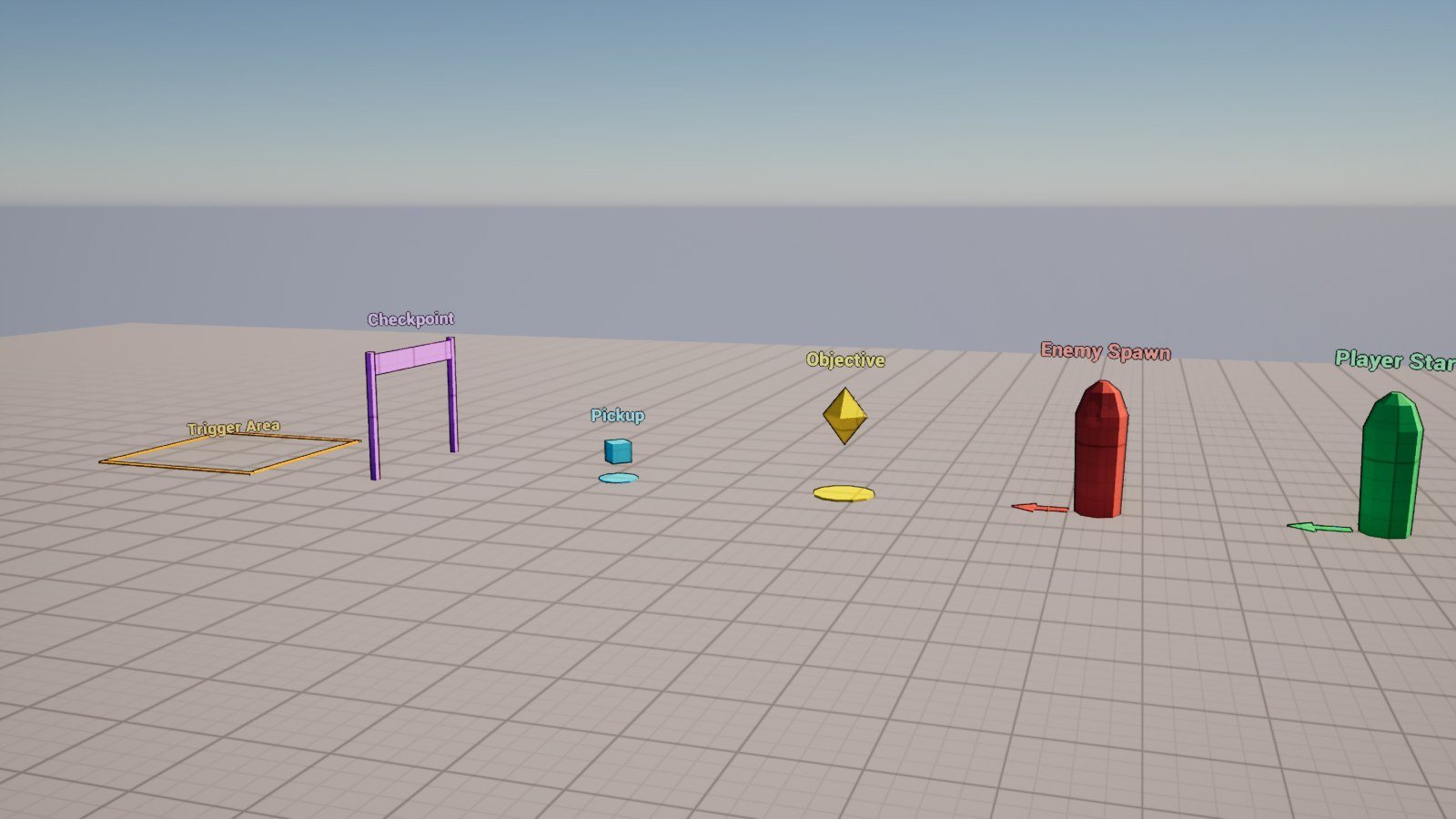
| Marker | Use it for |
|---|---|
| Player Start | Where the player spawns. |
| Enemy Spawn | Where enemies appear. |
| Objective | A mission goal or point of interest. |
| Pickup | Loot, ammo or health. |
| Checkpoint | A save or respawn trigger. |
| Trigger Area | A volume that fires an event (resize with Trigger Size). |
| Custom | Anything else, tinted with your Custom Color. |
Give any marker a Label to display text above it, and toggle Visible In Game if you want it visible during playtesting or in packaged builds.
Show through walls
Turn on Show Through Walls (Details → Appearance) to draw a marker and its label on top of level geometry so you can spot spawns from across the map. Toggle Display → Markers to flip this on for every marker in the level in one undoable step (and apply it to new markers automatically).
Notes
A Note drops a pin with floating text (Text, Pin Height and Text Size). Text size has a 4 cm minimum and no upper cap, so you can scale a note up into a giant zone label visible from afar.
Line Path
A Line Path draws routes along the ground—patrol paths, critical paths or sight lines. Click it out point by point just like other path shapes.
| Setting | What it does |
|---|---|
| Style | Line or Arrows. |
| Width, Spacing | Line thickness, and gap between arrows. |
| Arrow Head, Arrow Width | Optional arrowhead at the end and its size. |
| Closed Loop | Joins the end back to the start. |
| Elevation, Point Heights | Raises the whole path or individual points. |
| Smoothness | Rounds out corners. |
Readable labels
Marker labels and note text are unlit by default (Unlit Label / Unlit Text) so they stay legible in harsh sunlight or deep shadow. Turn it off if you'd rather have Unreal's standard lit text.
(Looking for Player Scale? It lives in this section too—see Player Metrics.)