Cutters and rooms
Carve doorways, windows, blast holes and joined rooms that heal automatically when moved.
Every LD shape has a Shape Role: Solid, Cutter or Room. Cutters and rooms modify any Solid shapes they overlap in real time—move or delete them, and the surrounding geometry heals right back.
Cutters
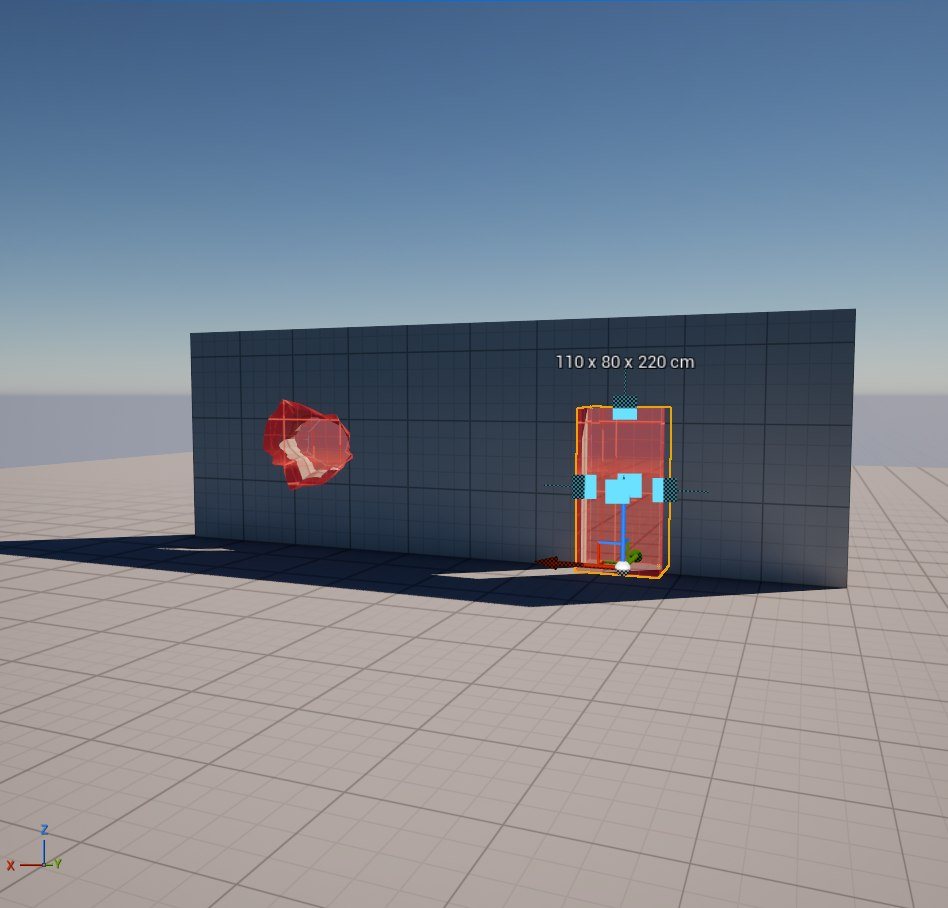
A cutter appears as a red hologram in the editor and subtracts its volume from every Solid shape it touches. Cutters are invisible in play-in-editor and packaged games.
The Cutters section on the Create tab gives you three presets out of the box:
| Cutter | What it carves |
|---|---|
| Door Cutter | A standard door-sized opening. |
| Window Cutter | A standard window-sized opening. |
| Fracture Cutter | A jagged blast hole with controls for size, jaggedness, asymmetry, crack count/length, taper, detail and a Seed for variations. |
Drop a cutter onto a wall or floor and it sinks straight in and carves immediately. Even better, you can turn any LD shape into a cutter by setting its Shape Role to Cutter—use a Cylinder for a round porthole, or Stairs for a stepped recess.
Cut only one shape
By default, a cutter carves every Solid it overlaps. If you only want it to affect one wall or floor, pick that actor in Cut Only This Shape (Details → Shape). Clear the field (or delete the target) to go back to cutting everything it touches.
Keeping cutters tidy
- Cutters are automatically organized into an LD Cutters folder in the World Outliner.
- Toggle Display → Cutters off to hide the red volumes while you work—hidden cutters still carve, and they reappear whenever you select them.
Pro: cutters with modifiers
Cutters carve using their post-modifier mesh. Add an Array modifier of 3 to a Window Cutter and you'll punch a row of three windows—change the count and openings appear or heal instantly.
Rooms
A Room is an inside-out volume: you see its interior walls, and wherever two rooms overlap, they merge into one open space with no wall between them. (The Player-Sized Corridor tiles use the Room role.)
Rooms are inset by 0.5 cm automatically so their floors don't Z-fight against floor slabs underneath.
Stairwells
Stairs and Curved Stairs have a Cut Floor Above toggle. Enable it and they'll carve a matching stairwell opening through any Solid shapes overhead, up to Cut Height Above (in cm above the top step).
Good to know
- Avoid exact flush faces: If a cutter face sits dead-flush with a wall face (or two rooms share the exact same floor height), the boolean can leave thin slivers. Nudge the cutter by about 1 cm so it sticks cleanly through.
- Performance: Distant shapes are skipped quickly, so dragging a cutter only rebuilds the shapes it actually overlaps.
- Closed solids only: Open meshes (like a shape with faces deleted in Edit Elements Pro) won't cut or get cut reliably.